
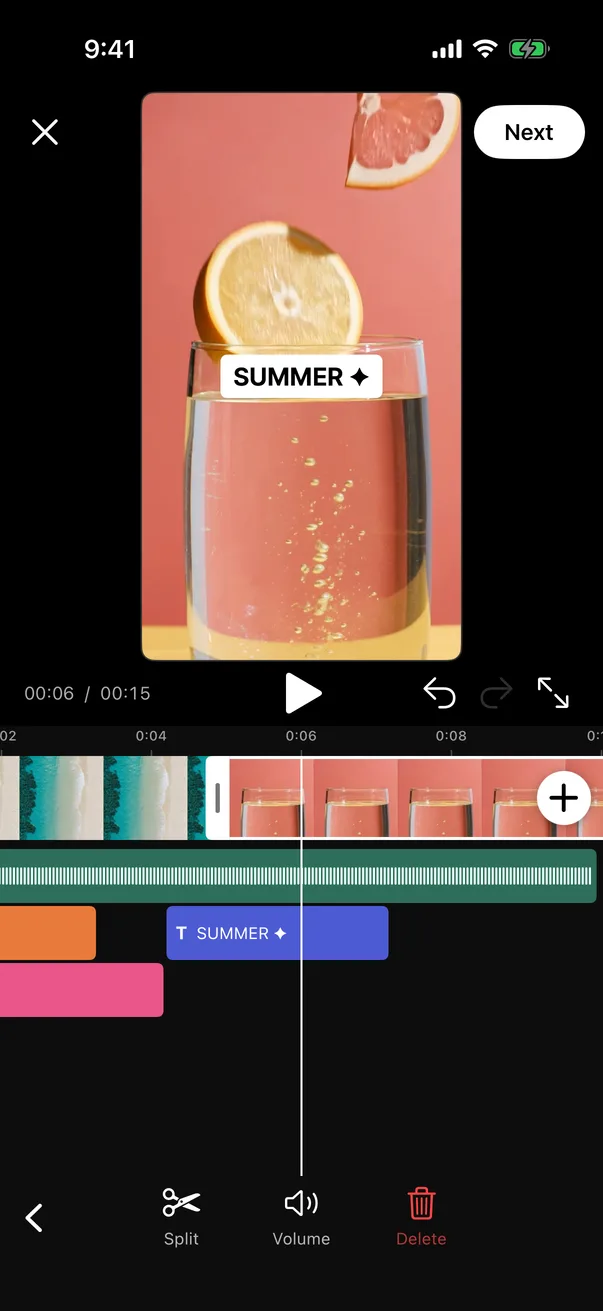
Multi-clip timeline
Add, trim and split clips.
A timeline video editor for iOS, Android and Flutter. Editing, preview and export run on the device, without FFmpeg.
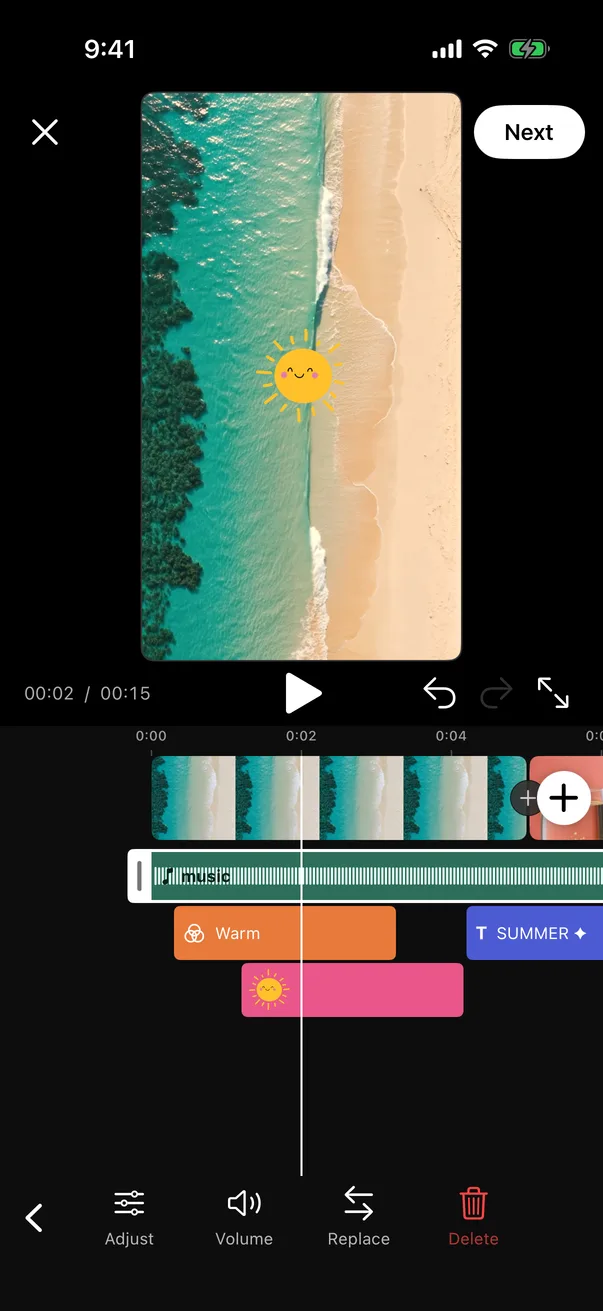
The composition is shown at the output aspect ratio with filters, stickers and text applied.
Drag either end of the selected clip. Adjacent clips follow.
Tap the marker between two clips to choose a transition.
Stickers, text, filters and effects sit on rows below the clips.
Add a track from the device and trim it on the waveform.
The toolbar shows the actions for the current selection.
Features
Add, trim and split clips.
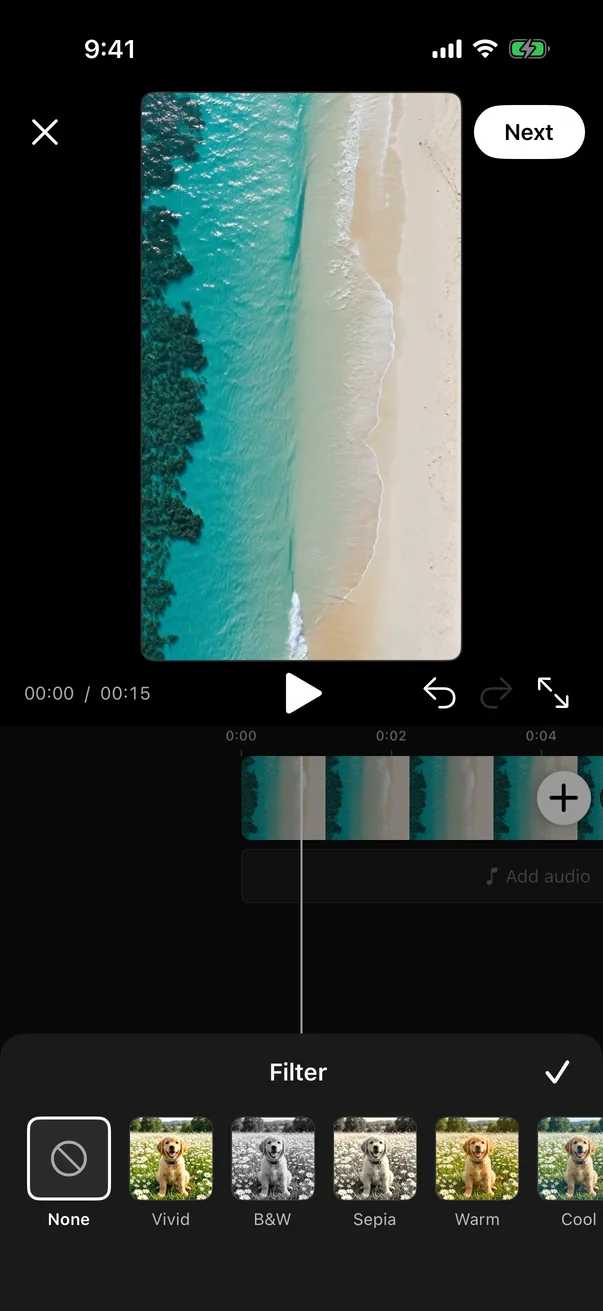
Applied over any span of the timeline. Filters can be stacked.
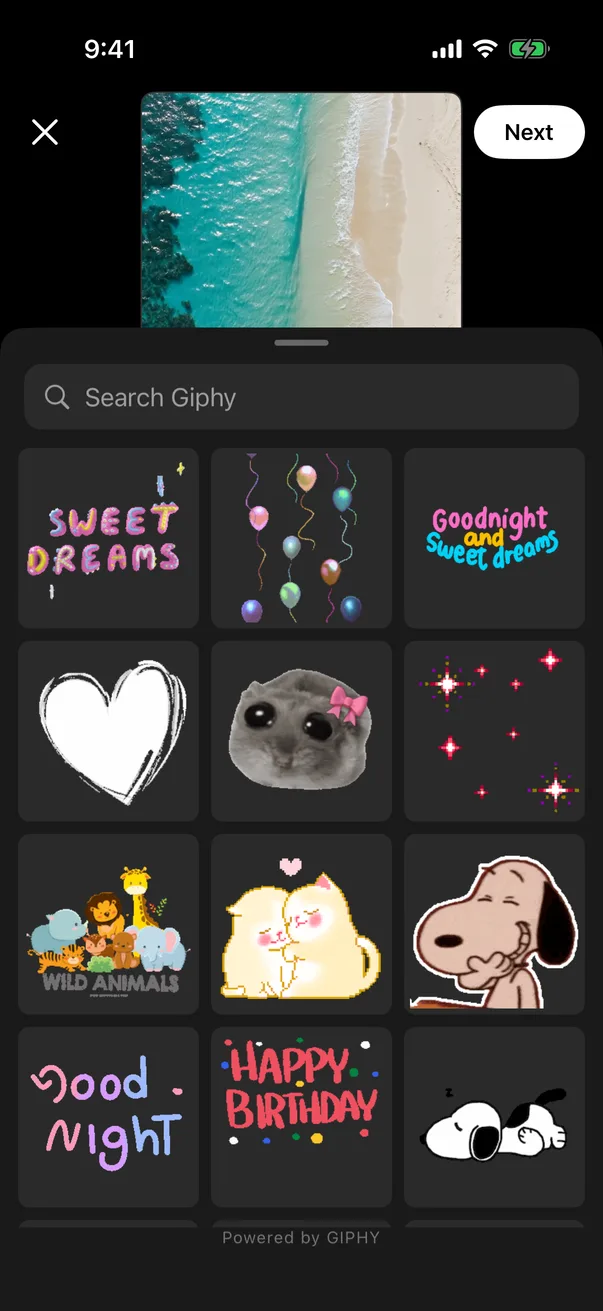
Search GIPHY from the editor. Stickers can be resized, rotated and timed.
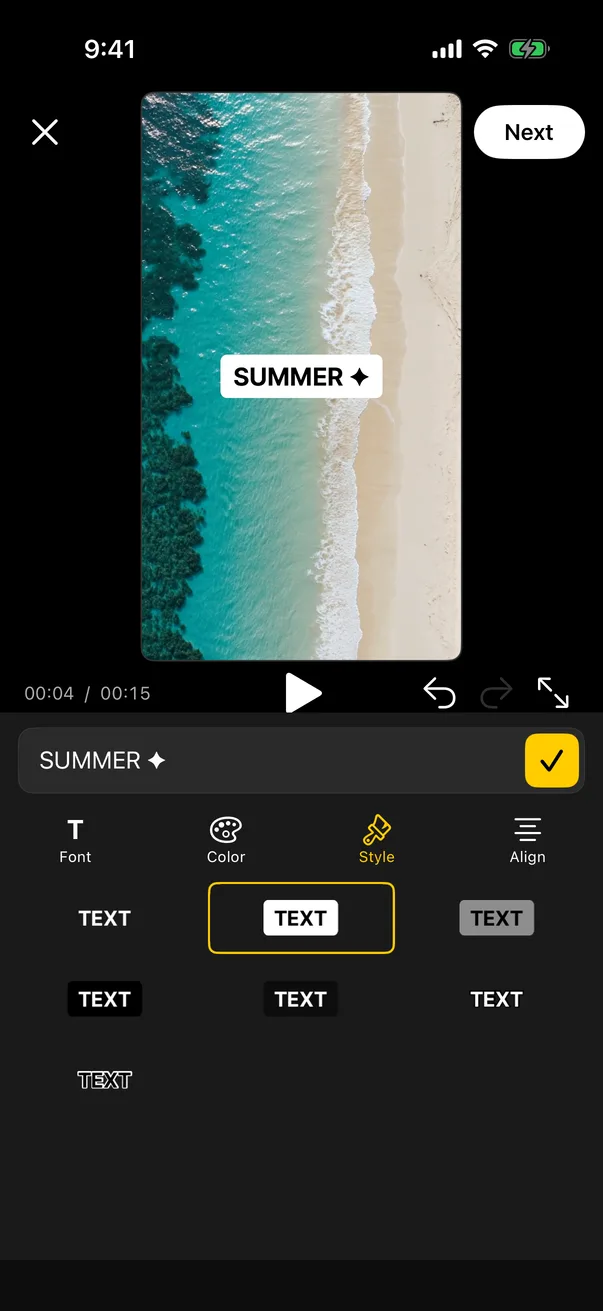
Fonts, colors, styles and alignment, edited on the preview.
Import a track and choose the section to use.
Applied between two clips, with adjustable duration.
Applied over any span of the timeline.
A photo becomes a clip of any length.
Set per clip and for the music track.
Saved when the user leaves the editor and resumed later.
Up to 50 steps.
to export a 2-minute video with 20 sticker, text and effect overlays and a music track, on a Galaxy S24 Ultra
added to an Android app (release APK, arm64)
added to an iOS app (estimated App Store download, arm64)
Integration
import VideoEditorCore

let editor = VideoEditorViewController(
    config: VideoEditorConfig(licenseKey: "ve_live_…", giphyApiKey: "…")
)
editor.onEditingComplete = { [weak editor] result in
    editor?.dismiss(animated: true)
    upload(result.videoPath)          // rendered MP4 in the app cache
}
editor.onCancel = { [weak editor] in editor?.dismiss(animated: true) }
present(editor, animated: true)val editor = registerForActivityResult(VideoEditorActivity.Contract) { result ->
if (result != null) upload(result.videoPath) // null: the user cancelled
}
editor.launch(
VideoEditorActivity.intent(
context = this,
config = EditorConfig(licenseKey = "ve_live_…", giphyApiKey = "…"),
),
)final result = await VideoEditor.present(
config: const VideoEditorConfig(licenseKey: 've_live_…', giphyApiKey: '…'),
);
if (result != null) upload(result.videoPath); // null: the user cancelledApps built with Infinive



“Our users wanted to edit their videos without leaving the app. Infinive gave us a TikTok-style editor on iOS and Android at a price that made sense for a team our size.”
No. It uses AVFoundation and Core Image on iOS and Media3 on Android, and ships no third-party media library.
iOS 16 and later, and Android 7.0 (API 24) and later, as native SDKs and as a Flutter plugin.
An MP4 (H.264 by default, or HEVC), 1080×1920 at up to 30 fps and 7 Mbps by default, plus a JPEG cover image. Aspect ratio, bitrate and frame rate are configurable.
Fonts, strings, languages, output settings, the audio picker and the drafts screen are supplied by the host. Colors and layout are fixed.
Add the dependency, present the editor and handle the result. A basic integration is a few dozen lines on each platform.